
Finishing off my 3×3 photo challenge seemed straight forward once I had narrowed my choices down, cropped to the square format, converted to B+W, and done some basic adjustments to give them a bit of punch and contrast. They had to look good as a set – “a look” – and I thought I had that.
I am a bit conservative, so I thought I’ll pick 3 images and get them printed to see how they would look on a lustre paper from the lab where I would get the whole set done for framing. Picked them up and my heart sank – can you guess?
They were dark and, well, dark. No life in them and certainly not what I thought I had achieved in selection and editing. Sitting in front of my sceen I was happy and on track. But on paper, no, these will not grace the lounge wall for all to see.
I had fallen into the classic beginner’s trap of calibrating my screens for colour but having them (slightly?) on the bright side. They were my screens for work and document production so I had them set to a comfortable level for THAT type of work. So, what does that mean? My images looked bright and punchy on the screen but printed flat and darker. I hadn’t therefore begun my editing with the end product in mind – a print. And, as I’d given all 9 prints the same “look” they would have all printed dark.
Time for some homework – and a bit of YouTubing of photographers I follow and learn so much from. I came across one clip that explained the heart of my issue in clear and understandable terms. I had overlooked the facts that screens emit light and that prints reflect light! They would never be equivalent. There was a clear lesson in this clip and that was you had to play, learn, experiment, and try things out. Which is what I had done in being conservative and doing some test prints (investing $s in the final result).
What I had to do was adjust my monitor brightness’s down in steps, then at each step re-evaluate my images and adjust their punch and lightness up (brighter/lighter) until I got to the magic place of having what I see on the screen approximate the look I was after on the print! And then seeing the print come out in the way I liked. The screen and the print will never be identical (and I knew that which is why I wanted to use one lab and one type of paper throughout), but I had to be happy with the printed result moreso than the lovely image I saw on the screen.

The originally printed image which I liked on the screen – and which fitted in with the other 8 images for tonal range. But … when printed looked too dark to hang on the wall as a print.
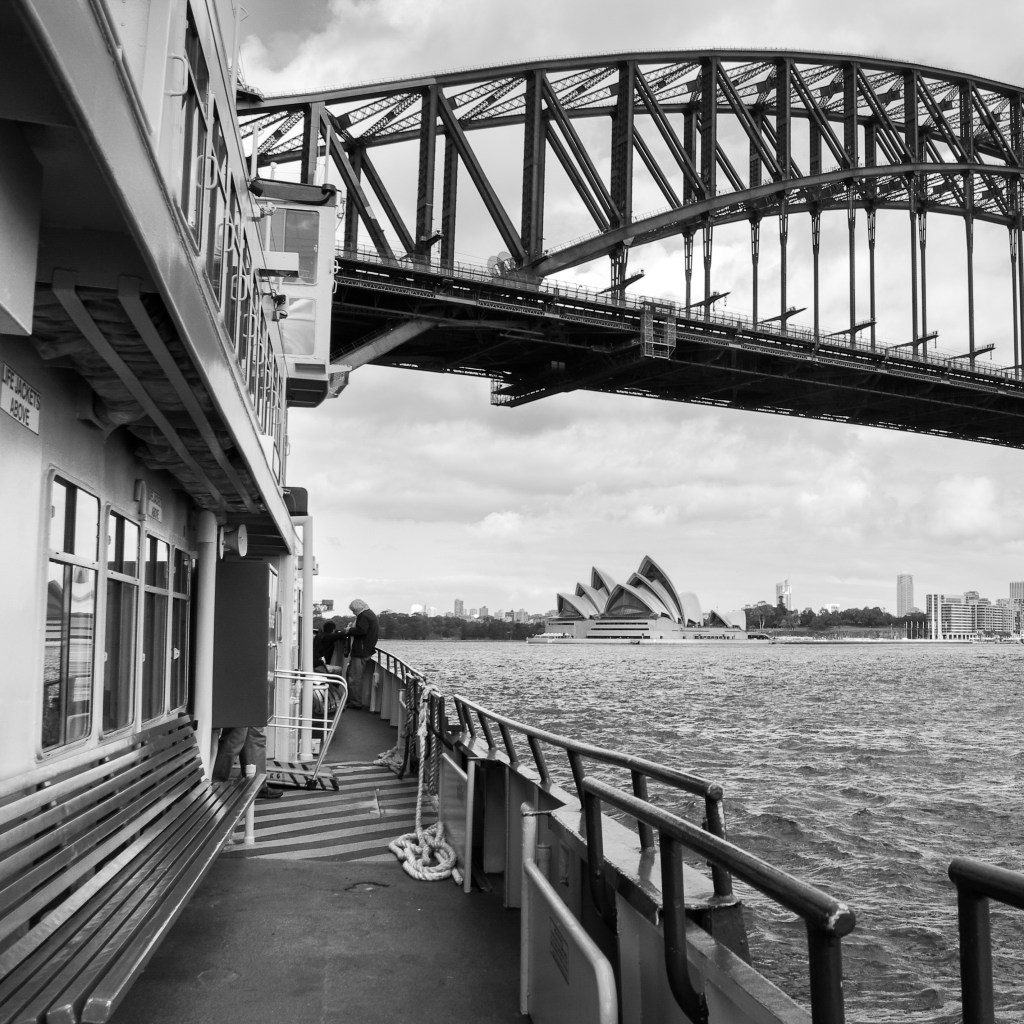
The “lightened” image – i.e. lightened on a screen for which brightness had been lowered to be a better match for printing. When reprinted (same lab as first print) looked better on the wall. Then the other 8 images had to go through the same lightening process so the set retained its look.
Compared to the image above it may be hard to see much difference, but that is the point – how much lighter did the print need to be to look good on the wall (and not on the screen)?
I found this YouTube clip to be really useful in getting my thoughts together and knowing how to finish this 3×3 project to a good degree of satisfaction.
I would highly recommend watching this clip by Keith Cooper. An excellent explanation in clear language with no BS. And he isn’t selling you anything, just being free and open with his knowledge and experience.
Learnt something, reminded myself of things I kinda knew, and now onto the next challenge.

 mikejonesAUS